An audiovisual music concert
Client
Bryggen Bruges Strings
Course
Group Project
Project Duration
12 weeks
Github
Bryggen Bruges Strings is a new string orchestra from Bruges, Belgium.
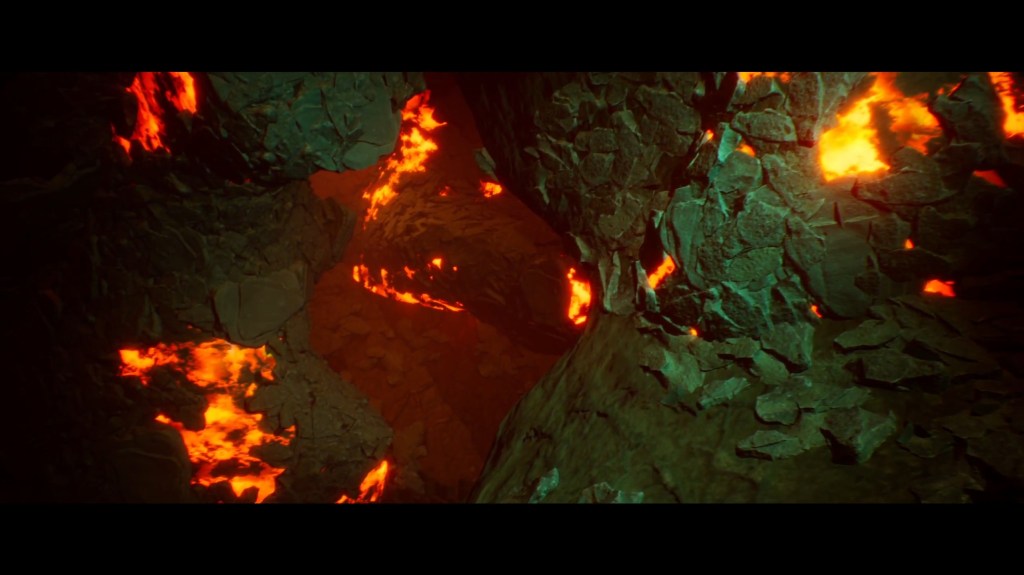
Minerals is an upcoming interactive audiovisual music concert, aimed to attract a younger audience to orchestra performances. During the performance the audience can vote on certain musical parameters which will influence the visuals as well as the music. The voting is done through a (web)app, but development was handled by a different team.
This meant our team could focus solely on creating the visuals, and implementing the visual changes.
A group of 5 people worked on this project: 4 artists and 1 programmer, me. Made in Unreal Engine 5, this was also my first project using Unreal C++, which certainly proved a challenge at first, but I got used to it fairly quickly. Being the only programmer on the team meant that all design responsibilities fell to me.
I implemented a flexible parameter system using IO from json files (which could later on be replaced with API calls), the camera track and movement, complete with focus targets, and a dynamic level load system.
The parameter system consists of a json file containing an array of structs, each detailing the timestamp at which the effect should be triggered, the duration of the effect transition, and the parameters that need to change. Each of those parameters is then, in turn, accompanied by a target value.
This json file is then parsed into structs which can be interpreted by the project code.
if (FJsonSerializer::Deserialize(JsonReader, JsonParsed))
	{
		const auto Effects { JsonParsed->GetArrayField("effects") };
		for(int Iter = 0; Iter < Effects.Num(); ++Iter)
		{
			FJSonEffect ValEffect{};
			const auto TempEff { Effects[Iter]->AsObject() };
			const TSharedPtr<FJsonObject> Effect = TempEff->GetObjectField("effect");
			const float Timestamp = static_cast<float>(Effect->GetNumberField("timestamp"));
			const float ActivationDuration = static_cast<float>(Effect->GetNumberField("duration"));
			auto Parameters = Effect->GetArrayField("parameters");
			ValEffect.Timestamp = Timestamp;
			ValEffect.ActivationDuration = ActivationDuration;
			for(int ParIter = 0; ParIter < Parameters.Num(); ++ParIter)
			{
				FTuple Tuple{};
				auto TempPar { Parameters[ParIter]->AsArray() };
				FString Group = TempPar[0]->AsString();
				const float Value = static_cast<float>(TempPar[1]->AsNumber());
				Tuple.ParameterName = Group;
				Tuple.Value = Value;
				ValEffect.Parameters.Push(Tuple);
			}
			JSonData.Effects.Push(ValEffect);
		}
	}
During the 1 hour runtime, the camera move continuously along a spline. However, due to the nature of the project, having loading screens would greatly diminish the audience’s immersion, and since having all levels loaded into memory at all times is also not a solution, I created a level load system.
Using Unreal’s built-in level streaming system, I created a flexibly system using trigger boxes that could load/unload levels. However, a single level required multiple levels to be loaded in at once, and calling the level load functions too quickly caused the levels to not be loaded in at all, as the previous level would need to be loaded in first for another call to succeed. This is why I implemented a cooldown on the level loading.
void AMainLevelStreamer::OnLevelLoad()
{
	if(LevelsToLoad.IsEmpty())
	{
		return;
	}

	auto Level{ LevelsToLoad[LoadLevelIter] };

	UGameplayStatics::LoadStreamLevelBySoftObjectPtr(GetWorld(), Level, true, true, FLatentActionInfo{});
	++LoadLevelIter;
	if(LoadLevelIter < LevelsToLoad.Num())
	{
		GetWorld()->GetTimerManager().SetTimer(InputTimeHandle,this, &AMainLevelStreamer::OnLevelLoad, 2.f, false,-1.f);
	}
	else
	{
		LoadLevelIter = 0;
	}
}
At certain points along the track, the camera is commanded to look at certain look at targets. When the camera enters a specific trigger box, the camera will then slowly lerp to its target rotation while continuing to move along the track at its normal speed.
if(LookAtState != ELookAtState::None)
	{
		if(LookAtState == ELookAtState::Focusing)
		{
			LerpTime += DeltaTime / MaxLookAtTime;
			if(LerpTime > 1.f)
			{
				LerpTime = 1.f;
			}
			const FVector TargetVector{ LookAtTarget - Track->GetCurrentSplineProgress(TraversedDistance).GetLocation() };
		}
		else if(LookAtState == ELookAtState::Recovering)
		{
			LerpTime -= DeltaTime / MaxLookAtTime;
			if(LerpTime < 0.f)
			{
				LerpTime = 0.f;
				LookAtState = ELookAtState::None;
			}
		}
		const FVector TargetVector{ LookAtTarget - TrackTransform.GetLocation() };
		const FRotator TargetRotation{ TargetVector.ToOrientationRotator() };
		const FRotator TrackRotation{ TrackTransform.Rotator() };
		SetActorRotation(TargetRotation * LerpTime + TrackRotation * (1 - LerpTime));
		SetActorLocation(TrackTransform.GetLocation());
	}
	else
	{
		SetActorTransform(TrackTransform);
	}
 Vincent Van Denberghe